

New Voice Remote Control for Google Chromecast TV 4K (Snow), Replacement Remote for Google Chromecast 4k Snow HD TV G9N9N GA01409-US GA01919-US GA01920-US GA01923-USGA01409-US
$9.89
Related Products






Product description

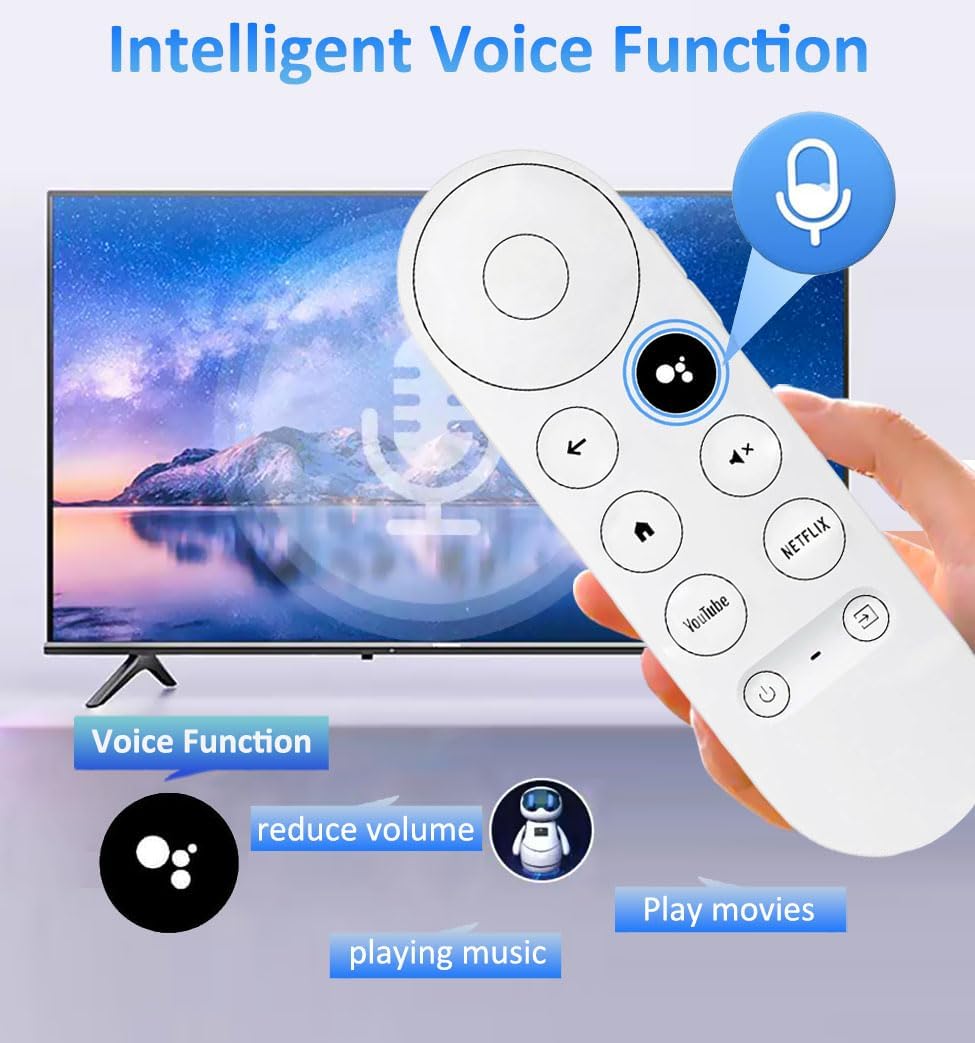
Intelligent Voice Function
Remote control allows for voice control, simply press the microphone button and say the keywords you want, such as lowering volume, playing music, etc., to control the TV. Please note that it is only compatible with voice enabled TVs. If your TVs do not support voice functionality, the remote control will not work and only one TV device can be connected at a time.

WIDELY COMPATIBLE:
Replacement Voice Remote Control for Google Chromecast 4k Snow HD TV,The function is the same as the original remote control, which is very suitable for replacing old remote controls or as a backup.
COMPATIBLE Remote Control Model: Suitable for G9N9N, GA01920-US, GA01923-US, GA01719-US, GA02463-US, GA01409-US, GA202464-US.

EASY Pairing
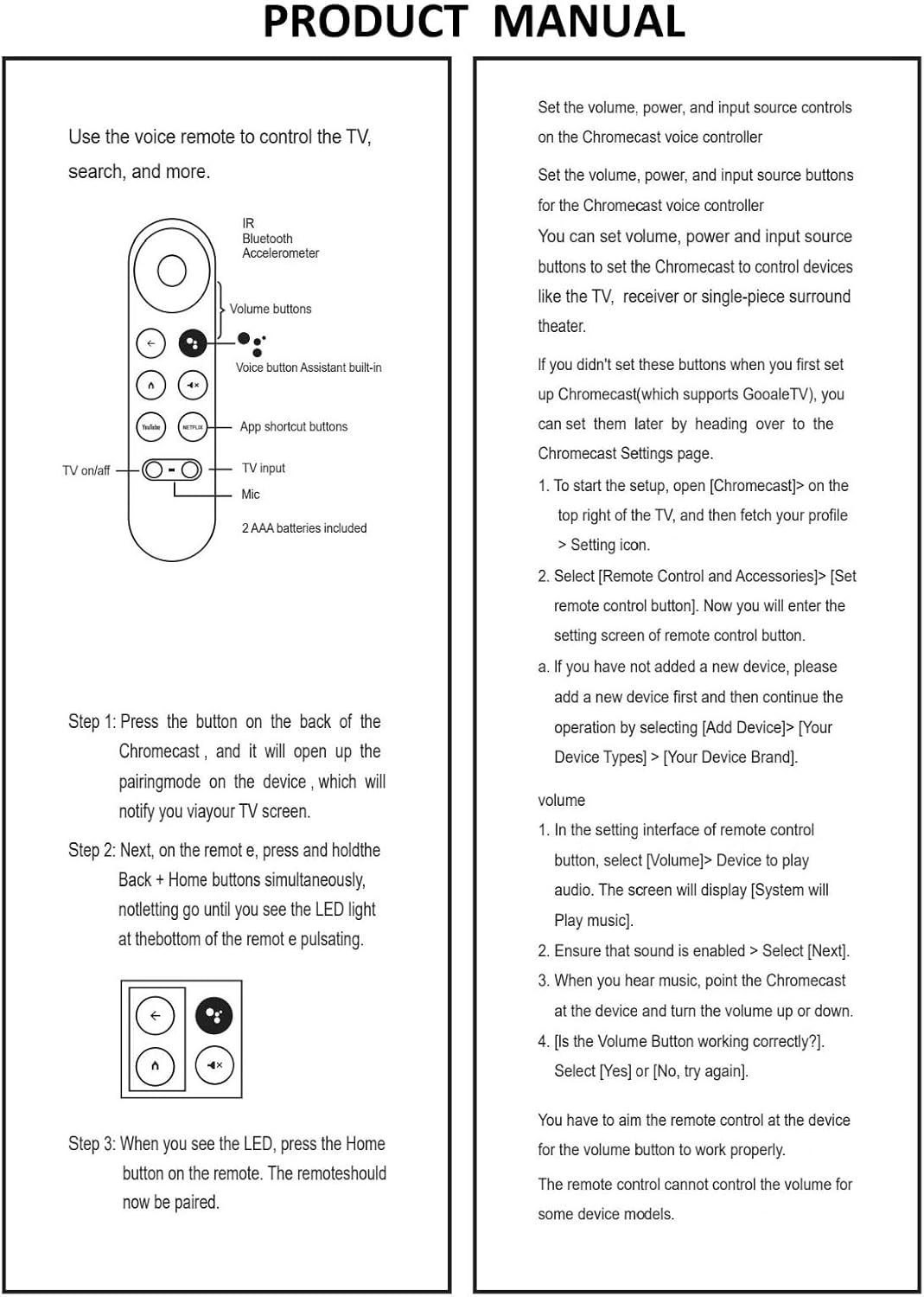
First put 2 PCS AAA batteries (Batteries are not included), then Press the “Auto pairing” button on the google device, and when “Start pairing” is displayed on the TV screen, press and hold the BACK and HOME buttons on the replacement remote control. The LED light starts to flash, and then release the button to use the remote control.


Add to Cart
Customer Reviews
3.9 out of 5 stars 38
4.3 out of 5 stars 19
4.3 out of 5 stars 107
4.2 out of 5 stars 143
Price
— no data
— no data
— no data
$9.89$9.89
COMPATIBLE
Replacement Voice Remote Control (3rd GEN) for AMZ fireStick Lite, for TV Stick (2nd Gen and later),for TV Stick 4K, for TV Stick 4K Max, for TV Cube (1st Gen and later), for TV Stick 4K, and for TV (3rd Gen, Pendant Design) Compatible with Roku TVs, Compatible with TCL Roku TV, Hisense Roku TV, Onn Roku TV, Sharp Roku TV, Element Roku TV, Westinghouse Roku TV, Philips Roku TV, Insignia Roku TV, JVC Roku TV, RCA Roku TV, HitachiRoku TV and Sanyo Roku TVs Series Compatible with Roku Express, for Roku Premiere, for Roku Box, for Roku Player, for Roku 1 2 3 4 (HD, LT, XS, XD). Compatible with Roku TVs, Compatible with TCL Roku TV, Hisense Roku TV, Onn Roku TV, Sharp Roku TV, Element Roku TV, Westinghouse Roku TV, Philips Roku TV, Insignia Roku TV, JVC Roku TV, RCA Roku TV, HitachiRoku TV and Sanyo Roku TVs Series
【WIDELY COMPATIBLE】Replacement Voice Remote Control for Google Chromecast 4k Snow HD TV,The function is the same as the original remote control, which is very suitable for replacing old remote controls or as a backup.
【COMPATIBLE Remote Control Model】Suitable for G9N9N, GA01920-US, GA01923-US, GA01719-US, GA02463-US, GA01409-US, GA202464-US.
【Intelligent Voice Function】Remote control allows for voice control, simply press the microphone button and say the keywords you want, such as lowering volume, playing music, etc., to control the TV. Please note that it is only compatible with voice enabled TVs. If your TVs do not support voice functionality, the remote control will not work and only one TV device can be connected at a time.
【EASY Pairing】First put 2 PCS AAA batteries (Batteries are not included), then Press the “Auto pairing” button on the google device, and when “Start pairing” is displayed on the TV screen, press and hold the BACK and HOME buttons on the replacement remote control. The LED light starts to flash, and then release the button to use the remote control.
【Sensitive Response】Built in intelligent upgrade chip, quickly response in 0.2s between TV and remote. Precisely control far from 40 feet, ABS durable material, sensitive and comfortable buttons.
【YOU Need KNOW】1. The voice remote control needs to be manually matched; 2.You need to put in 2 AAA batteries for the remote control to work (note that the package does not include Batteries). 3.Please note that it is only compatible with voice enabled TVs. If your TVs do not support voice functionality, the remote control will not work. 4.Only one TV device can be connected at a time.
10 reviews for New Voice Remote Control for Google Chromecast TV 4K (Snow), Replacement Remote for Google Chromecast 4k Snow HD TV G9N9N GA01409-US GA01919-US GA01920-US GA01923-USGA01409-US
Add a review

$9.89
FY –
Great remote
Easy to use, works great.
Matt B –
Would not pair *now it does*
One star. Bought two aftermarket remotes for Chromecast TV. Both failed to pair, total garbage. Instructions were useless, and I couldn’t even get through to customer service-nobody to call, no help at all. Don’t waste your cash.Update: five stars. Very important that you reboot your system before pairing. The issue I was having was that and not the product. Everything works great now. This could have been easily addressed by better instructions though.
Placeholder –
Chromecast remote
I like this product. I really had to try several times to get it to sync, but it did on my third attempt because I was replacing my old remote.
Rodney R –
Works fine.
Initially I had issues with this remote. However it turns out there was interference from another system and the remote was not pairing correctly. All resolved, works fine.
JEB –
Romte
Works like the original remote
Tara –
Stopped working after 38 days
Received on 18 OCT, remote stopped working on 26 NOV, 8 days past the return window. Remote stopped working although it does power on but will not go into pairing mode or control the Chromecast. Do not buy.
Harrison –
Works great!
Syncing the remote to the chromecast is simple. Press the sync button once on the CHROMECAST, then hold the home and back buttons on the REMOTE until the REMOTE starts flashing. Then go back to the CHROMECAST and keep tapping the sync button until the remote is highlighted/selected on the screen. Then press and hold that sync button on the chromecast until the tv shows “pairing”. That’s it
Reston Bishop –
Works, but you get what you pay for
The remote had the volume buttons stuck when it was delivered, making it impossible to pair with the TV. It was 9 bucks so I figured I would just crack the shell open and see if I could fix it. I did, and it’s working now, but is feels substantially lower quality than the original. Maybe try another brand.
Eslam –
سيء جدا جدا ولا انصحكم بشراؤه بيفصل كتير وكل مره يحتاج لربط مع الجهاز
FIHAN H ALAMAJ –
It is not working