

Insta360 Flow 2 Pro Creator Bundle Grey – Foldable AI Phone Gimbal, Apple DockKit, 360º Pan Tracking, Free Tilt Mode, Built-in Tripod/Selfie Stick, Portable Vlog/Travel Stabilizer, Spotlight, MagSafe
Original price was: $189.99.$169.99Current price is: $169.99.
Related Products




Product description
The video showcases the product in use.The video guides you through product setup.The video compares multiple products.The video shows the product being unpacked. Insta360 flow 2 pro Merchant Video


1 Native Camera Tracking
2 iOS App Tracking
3 Apple Watch Control
4 Smartphone Remote Control
5 AI Tracker



1 360 Infinite Pan Tracking
2 Active Zoom Tracking
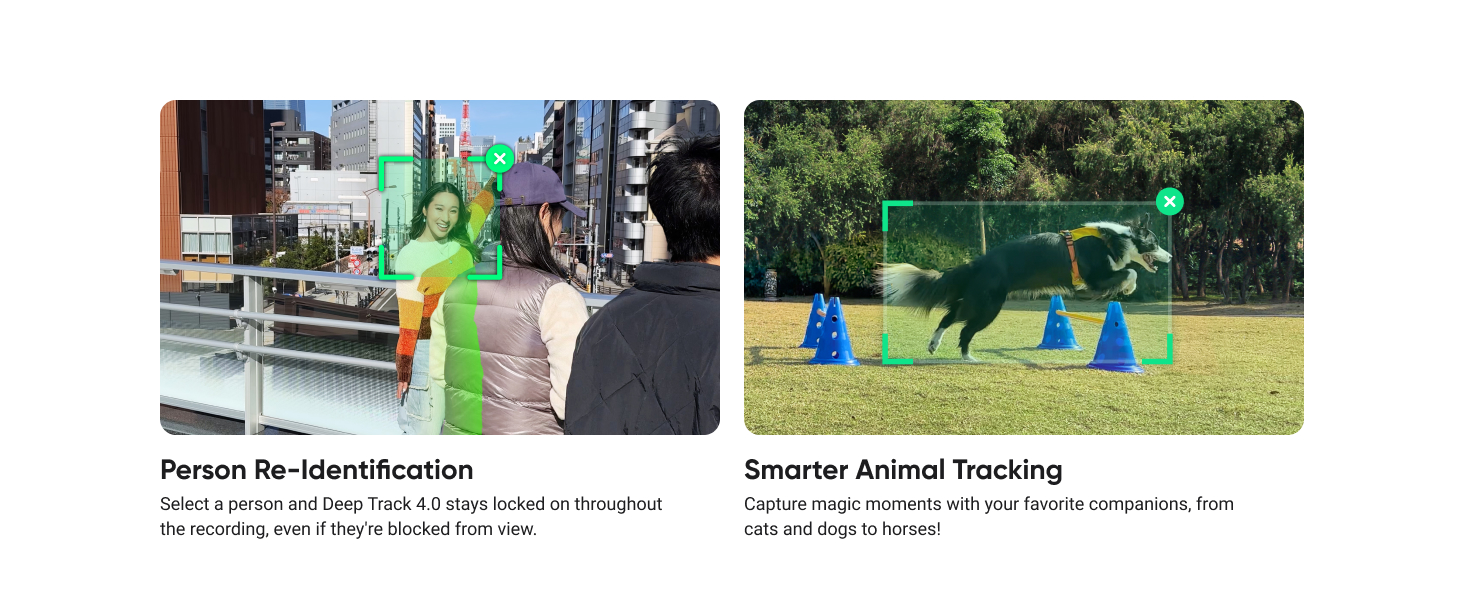
3 Multi-Person Tracking
4 Pro Framing Grid
5 Versatile Tracking


1 Free Tilt Mode
2 Advanced HDR & Codecs
3 Creative Effects
4 AI Editing
5 Intuitive SmartWheel


1 1-Step Rapid Deploy
2 3-Axis Stabilization
3 All-In-One Design
4 All-Day Battery Life
5 Tracking Ring Light


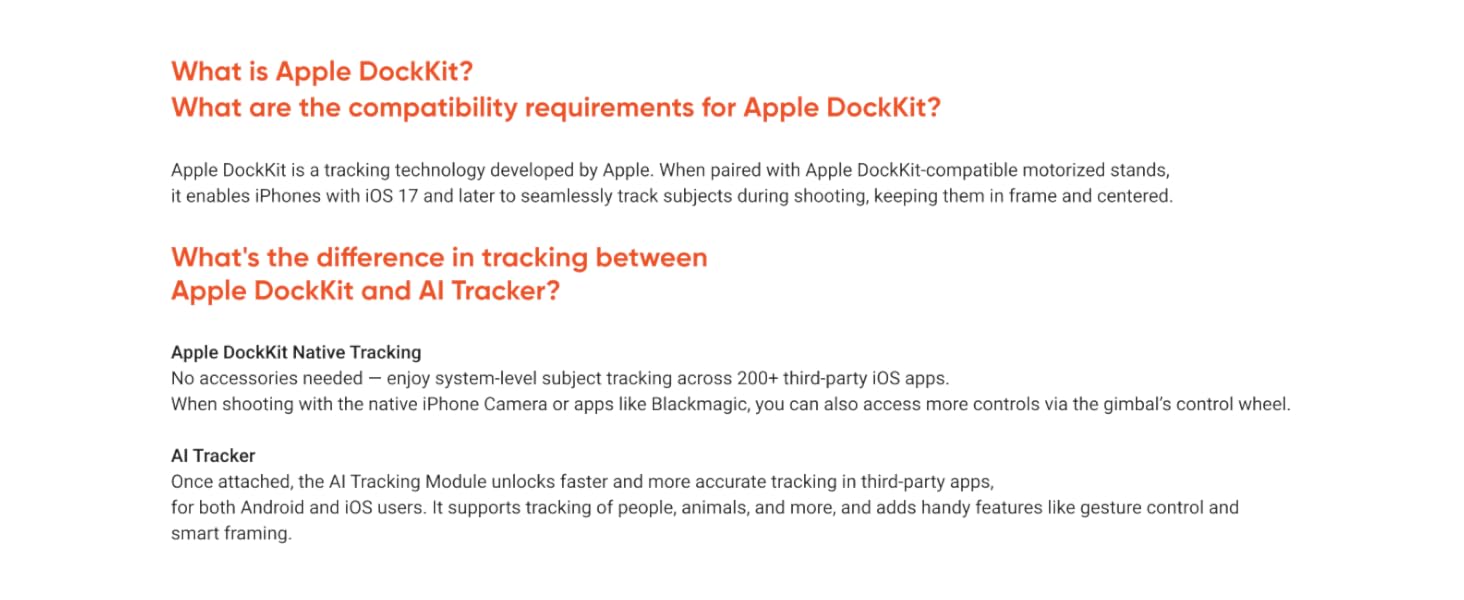
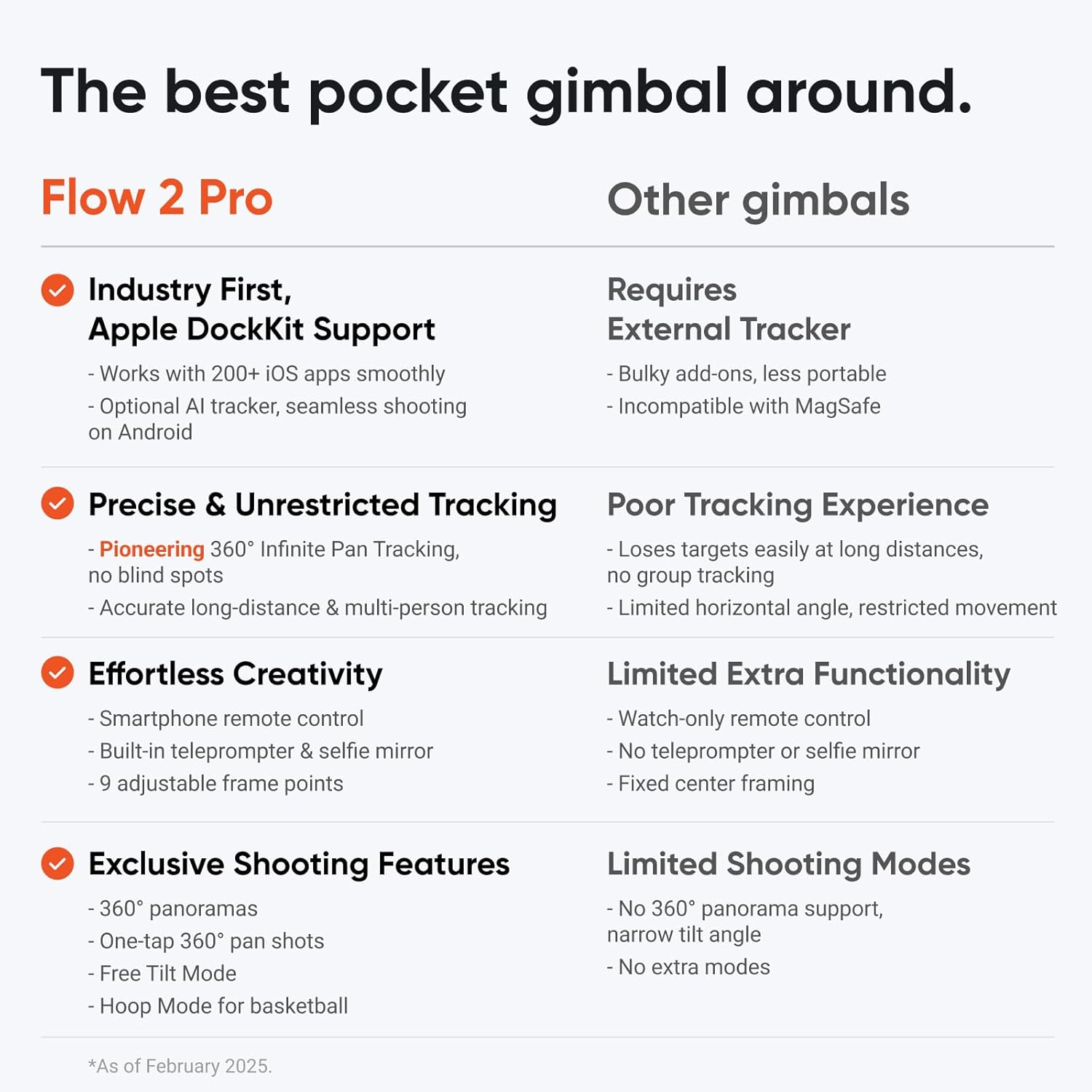
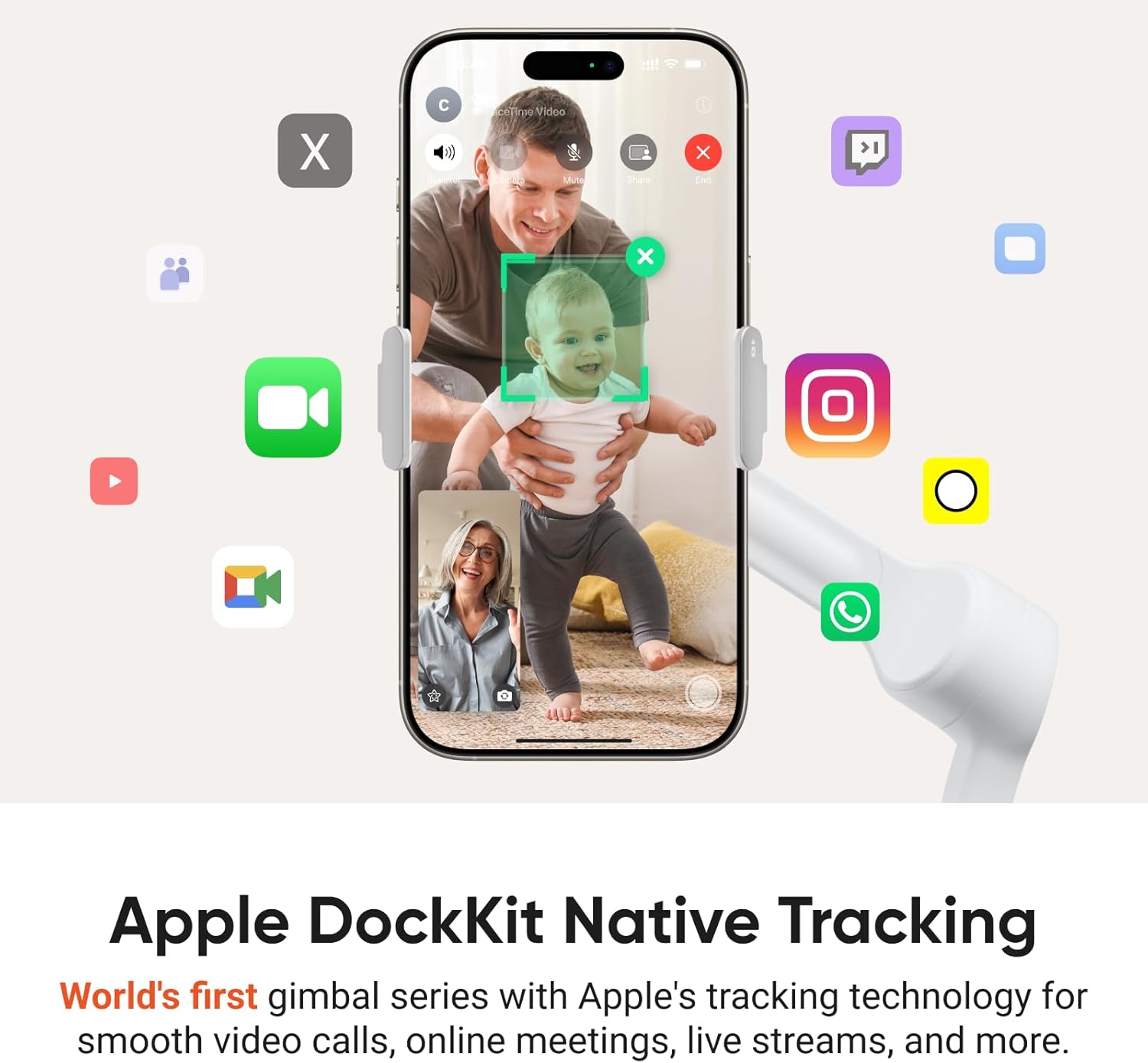
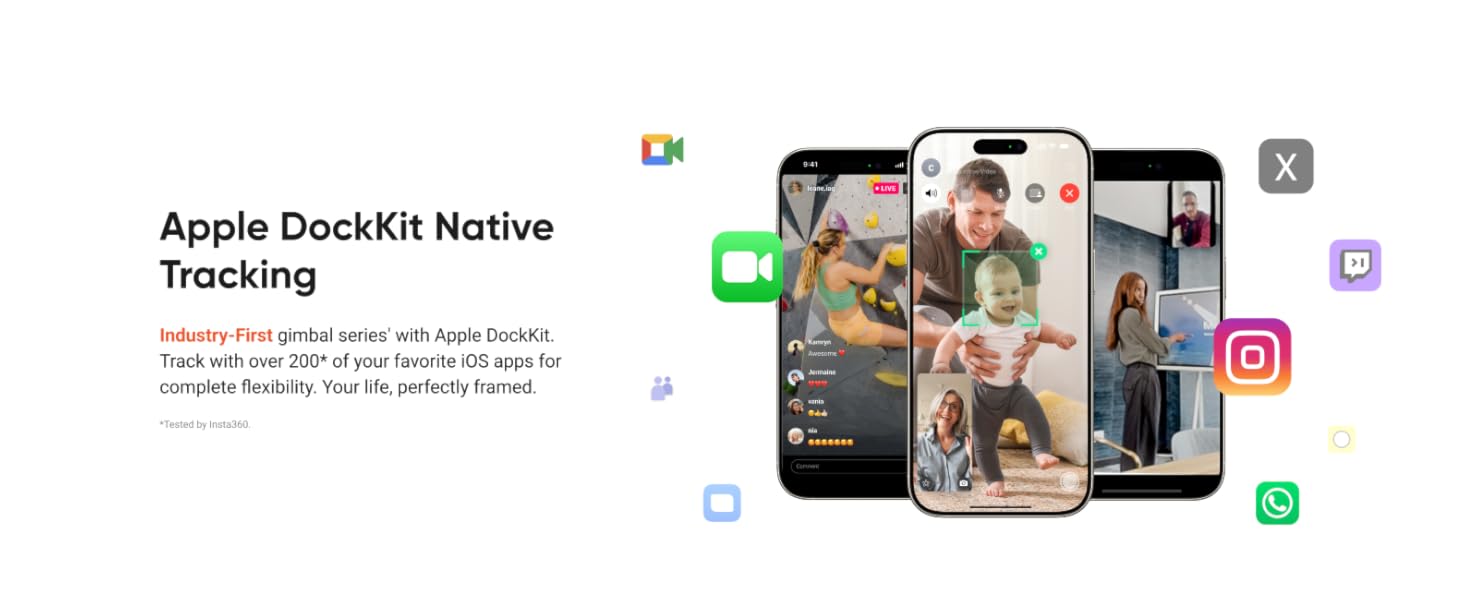
Versatile Tracking in 200+ iOS Apps: The first and only gimbal series with Apple DockKit*. An advanced gimbal stabilizer for iPhone and the ultimate tool for content creation, video calls, online meetings, live streams, and more with 200+ compatible iOS apps.
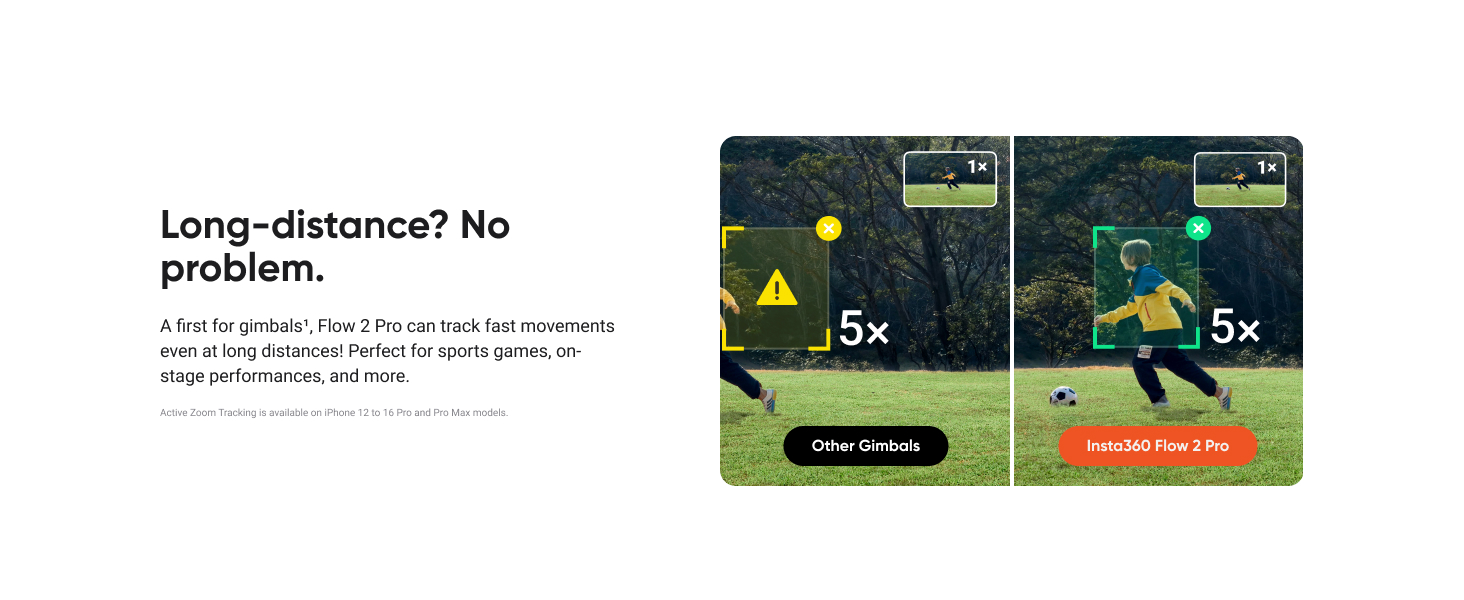
Active Zoom Tracking: A first* for gimbals, Flow 2 Pro can track fast movement precisely, even at up to 15x zoom! Perfect for sports games, on-stage performances, and more (available for Pro & Pro Max models of iPhone 12-16.)
Multi-Person Tracking: A smart phone gimbal that tracks and frames your whole group! Ideal for family gatherings, camping, meetups, and more. Get perfect framing where everyone shines.
Easy Setup & Stable Footage: Simply mount your phone, unfold, and this cell phone gimbal is ready to go. 3-axis stabilization keeps every shot silky smooth, no matter the situation.
360° Infinite Pan Tracking: Move freely and always stay in frame with the first foldable 360º gimbal. With a continuous pan rotation, Flow 2 Pro seamlessly tracks your every move.
All-in-One Content Creation Tool: All your essential tools in one AI phone gimbal. A built-in tripod for iPhone and Android shots, selfie stick, selfie mirror, teleprompter, power bank, and 10-hour battery life. With Flow 2 Pro you’re all set for a full day’s filming—no other gear needed.
Creative Shots with Free Tilt Mode: A new standard for foldable gimbals. Get a wider range of motion and keep the same angle as your phone moves up and down. Capture everything in a single, continuous shot.
Cinematic Brilliance: The top iPhone gimbal with Dolby Vision and Apple ProRes. Make every frame burst with vibrant colors, sharp contrast, and unmatched brightness. Capture breathtaking videos, preserve all the details, and perfect every shot with complete freedom in the edit.
AI-Powered Editing: Master your shots with AI-powered editing tools in the Insta360 app. FlashCut tells a story with your clips, editing together the highlights on beat to music.
In The Box: 1x Insta360 Flow 2 Pro, 1x Magnetic Phone Clamp, 1x Spotlight, 1x USB-C to USB-A Charge Cable, 1x Magnetic Phone Mount, 1x USB-C Charge Cable and 1x Protective Pouch. *Magnetic Phone Mount only compatible with iPhone 12 or later. Requires MagSafe.
9 reviews for Insta360 Flow 2 Pro Creator Bundle Grey – Foldable AI Phone Gimbal, Apple DockKit, 360º Pan Tracking, Free Tilt Mode, Built-in Tripod/Selfie Stick, Portable Vlog/Travel Stabilizer, Spotlight, MagSafe
Add a review

Original price was: $189.99.$169.99Current price is: $169.99.
Andrea Polk –
Install Insta360 App 1st, Pair Device, Watch Tutorials, Use Flow 2 Pro with App
I picked up the Insta360 Flow 2 Pro Creator Bundle when it was only one-forty, to use as a portable go-to for filming video with my iPhone 15. I’m happy it’s part of my kit. The more I use it, the more I like it. The tripod is sturdy and perfect for tabletop filming. The gimbal’s tracking works well and video is smooth, whether using the tracking while the phone is on the tripod or handheld.Pairing the Flow 2 Pro with the iPhone 15 is easy with the DockKit, but at first I struggled as I was doing it another way – the hard way looking to pair it in Bluetooth settings at first. Do yourself a favor and download the app before anything else, get it open and then that pairing is seamless!Speaking of the Insta360 app, it’s where you should start your journey with this thing. Tutorials, an editor, and a camera icon that launches the Flow 2 Pro’s integration is well thought out and works very well to help users with the “how to” of using this gimbal. Frankly, on the box in red it should say: “BEFORE YOU DO ANYTHING ELSE, DOWNLOAD THE APP AND PAIR THE DEVICE. THEN JUST WORK WITH THE APP TO USE YOUR GIMBAL.”The gimbal charges quickly; about 1.5 to 2 hours when fully discharged, and can last up to 10 hours. It can also be used as a power bank to charge your phone or another device.Having never used a gimbal before, I sometimes feel awkward using this one, but with practice it’s getting easier. I like that YouTube has lots of tutorials for film-making with this tool, and I know I’m just scratching the surface using it as I am now. The whole thing has so much versatility (selfie stick, gimbal, tripod) lifestyle and travel vloggers should all consider getting it!I do feel like the connection of the camera to the gimbal is sometimes a little fussy, but if you make sure things are lined up and locked in, it’s usually OK. I have an iPhone 15 with a thin silicone case. Both the magnetic mount and the clamp work with the phone in the case, but I feel like the clamp is a bit more secure. If I had my phone out of a case, the magnetic mount would be my choice.This kit includes a light that I haven’t used yet, but love having for low-light conditions. I use a wireless mic when recording and it has a long range. If I connect the receiver for that mic into my phone which is in the gimbal used as a tripod it works well and the additional weight of the receiver doesn’t seem to affect the ability of the gimbal to move in a 360-degree rotation or other directions.Getting this on sale, I’m very happy. I think it’s a lot of tech for a highly-portable (or not) device. The only thing I wish was better is the learning curve to use it. I think that’s a little steep, but that could just be me. Watch the tutorial videos, download the app, pair your device, and you’ll be creating in no time!NOTE: You may want to consider getting the Insta360 Flow 2 case accessory (sold separately) for your gimbal. It’s about twenty-five and well worth it for organizing and protecting your gimbal.
Brent –
Professional Smoothness for Family Memories | AI Tracking is a Game-Changer
The Bottom Line: The ultimate “set it and forget it” gimbal for parents and creators. The AI tracking is so reliable that you can actually be in the family videos instead of just filming them from the sidelines.The “Family Video” Test: I use the Flow 2 Pro constantly for family videos, and it has completely changed how I document our lives. Whether I’m chasing the kids around the backyard or filming at a crowded event, the stabilization turns shaky handheld footage into smooth, cinematic clips.Key Performance Observations:AI Tracking (Deep Track 3.0): This is the standout feature. I can lock the gimbal onto a child or a pet, and it follows them flawlessly—even if they move behind an object or turn around. It takes the stress out of framing.Apple DockKit Integration: This is a huge win for iPhone users. It allows the gimbal to integrate directly with the native iOS camera app and other apps like FaceTime or TikTok without needing to always jump into the Insta360 app. It makes the workflow much faster.360º Infinite Pan: Unlike other gimbals that hit a “stop” point, this can rotate indefinitely. It’s perfect for capturing the full scale of a volleyball gym or a large family gathering without the hardware getting in the way.Creator Bundle Value: The built-in tripod and the fill light included in the bundle make this a complete “studio in a pocket.” The foldable design means I can actually fit it in a jacket pocket or my volleyball gear bag without a second thought.
Joshua Gouge –
Great gimbal.
Great price especially for all of its functionality. Their ai tracking and full 360 range of motion made it a no brainer against the DJI for me. I also really appreciate the Dockkit integration making it a far better experience for iPhone users. The app is really intuitive and has a great suite of features, although I don’t love the constant bombardment of ads. The gimbal is perfectly sized making it easy to pack. Some downsides are that I have to remove my phone case because with it my phone gets really close to the weight limit, and with the MagSafe attachment the phone can be unbalanced.
Yuyun Zhou –
Smartphone’s New Best Friend for Vlogging and Video Calls
The Insta360 Flow 2 Pro is a great tool if you want to turn your smartphone into a vlog camera. As soon as you clip your phone into it, you’ll notice the difference. It keeps your videos smooth and steady, even when you’re walking or moving around. There’s also a built-in stick you can extend to get wider shots or switch to selfie mode. The controls are easy to use – you can zoom, tilt, or start recording with just a small joystick or even simple hand gestures. Whether you’re filming your daily life, making short videos, or recording something fun, the Flow 2 Pro makes it much easier and more professional.One of the best features is its AI tracking. This means the device can follow your face as you move, keeping you in the center of the screen. It’s especially helpful for FaceTime or other video calls. You don’t have to hold your phone or stay still. You can move around, and the camera will follow you smoothly. It feels like someone is holding the camera for you and always keeping you in frame.Overall, the Insta360 Flow 2 Pro is more than just a phone holder – it’s a smart tool that makes your videos and calls look better and feel easier. It’s small, easy to carry, and packed with helpful features. Whether you’re a vlogger, a student, someone who works from home, or just want better video calls, this is a great choice.
Devson Lisboa –
Produto Original, e lacrado
Guillaume OBERMEYER –
J’ai emporté l’Insta360 Flow 2 Pro lors de mon récent voyage au Japon pour immortaliser mes souvenirs, et l’expérience a été excellente. Même sans être un professionnel de la vidéo, ce stabilisateur change radicalement la qualité des images.Points forts :• Stabilité bluffante : Les vidéos sont fluides, même en marchant rapidement dans les rues animées de Tokyo ou Kyoto. On passe d’un aspect ‘filmé au smartphone’ à un rendu vraiment professionnel.• Application intuitive : L’application dédiée est une excellente surprise. Elle est très facile à prendre en main et propose des outils de montage automatiques vraiment sympas qui permettent de créer des clips de qualité en quelques minutes.• Polyvalence créative : Le stabilisateur regorge de fonctions (suivi de sujet, modes créatifs). J’ai conscience de n’avoir exploité qu’un petit pourcentage de ses capacités réelles, mais même en usage basique, le résultat est là.• Portabilité : Il se replie facilement et ne prend pas trop de place dans un sac à dos de voyage, ce qui est crucial quand on bouge toute la journée.Petit conseil :• Prenez le temps de faire les tutoriels rapides dans l’application au début. Cela permet de comprendre les bases du joystick et des modes de suivi pour ne pas rater vos premiers plans importants.Verdict :C’est l’outil parfait pour ceux qui veulent de belles vidéos de vacances sans se prendre la tête. Il offre une marge de progression énorme au fur et à mesure que l’on découvre ses fonctions avancées. Je ne regrette absolument pas cet achat pour mes souvenirs de voyage !
J. Top –
Also ich habe ihn mir gekauft, weil er als ultrakompatibel zum iPhone beschrieben wird. Das ist zu 100 % korrekt.Natürlich habe ich mir auch einige Produkte der Marktbegleiter betrachtet. Am Ende ist es dieser geworden, und ich habe es bis jetzt nicht bereut.Auch ohne die nicht immer unproblematische Instaapp, ist der Gimbal Ultra schnell einsetzbar und funktioniert problemlos mit der Kamera App vom iPhone.Die ganze mechanische Verarbeitung ist außerordentlich solide.Definitiv würde ich jedem das Creator Pack empfehlen.Für die magnetische Halterung sollte man aber ein iPhone Cover benutzen, welches die magnetische Rückenfunktion des iPhones unterstützt. Der Magnet sitzt wirklich sehr gut.Der ganze Gimbal verfügt über eine so große Vielzahl von Funktionen das es definitiv Sinn macht sich die ganzen Videos dazu anzusehen.Eine von mir sehr geschätzte Funktion ist per Knopfdruck eine 360° Rotation. Daraus ergibt sich eine sehr schöne Panorama Aufnahme. Nicht jeder Marktbegleiter beherrscht eine 360° Rotation !Alles in allem ein wirklich cooles Gerät, schnell einsatzfähig, sogar mit Lade Funktion fürs Telefon.Also, ich bin außerordentlich zufrieden.Noch ein kleiner Hinweis zur App von Instagram 360. Die App ist verhältnismäßig groß mit 1,5 GB. Sie wird aber auch recht häufig überarbeitet und gepflegt. Was wiederum dafür spricht, dass man sich wirklich um Kunden Zufriedenheit kümmert .
Zachary –
Used it for quite some time before writing down this review.Super powerful stuff. Better than the one that I got from other people. It’s super useful and a bit unreal for this price.A lot of interesting functions. You can download the app to figure it all out. Multifunction and easily operating.Highly recommended!
Stacey Steele –
purchased the Insta360 Flow 2 Pro to improve the quality of smartphone video, and it has been a solid investment. Setup was straightforward, and the magnetic phone mount feels secure and well designed. Once balanced, the stabilization is excellent, especially for walking shots, slow pans, and filming on the go.The subject tracking works consistently and keeps the frame locked without constant adjustments, which is particularly helpful for solo filming. The controls are intuitive after a short learning curve, and the app offers enough flexibility without feeling overwhelming.Battery life easily lasts through a full day of casual filming, and the built-in tripod and extendable handle are practical additions that reduce the need for extra gear. The foldable design also makes it easy to pack for travel or everyday use.A couple of minor considerations, it is slightly heavier than entry-level gimbals, and it takes a bit of practice to get comfortable with all the modes. That said, performance more than makes up for it.Overall, this gimbal delivers smooth, professional-looking footage and feels thoughtfully engineered. A strong choice for anyone serious about improving mobile video quality, whether for content creation, work, or personal use.