

GMKtec Mini PC Ryzen 5 3500U (Beats N150) 16GB 256GB SSD 2.5GbE NIC LAN Office Home Desktop Computers, Triple 4K Display, WiFi, BT, USB-C, DP Nucbox G10 Black
Original price was: $299.99.$224.99Current price is: $224.99.
Related Products






Product description
GMKtec Nucbox G10 Mini PC Desktop Computer
The video showcases the product in use.The video guides you through product setup.The video compares multiple products.The video shows the product being unpacked. gmktec mini pc g10 Merchant Video
VALUE & PERFORMANCE R5 3500U PROCESSOR 
GMKtec Nucbox G10 AMD Ryzen 5 3500U Specification
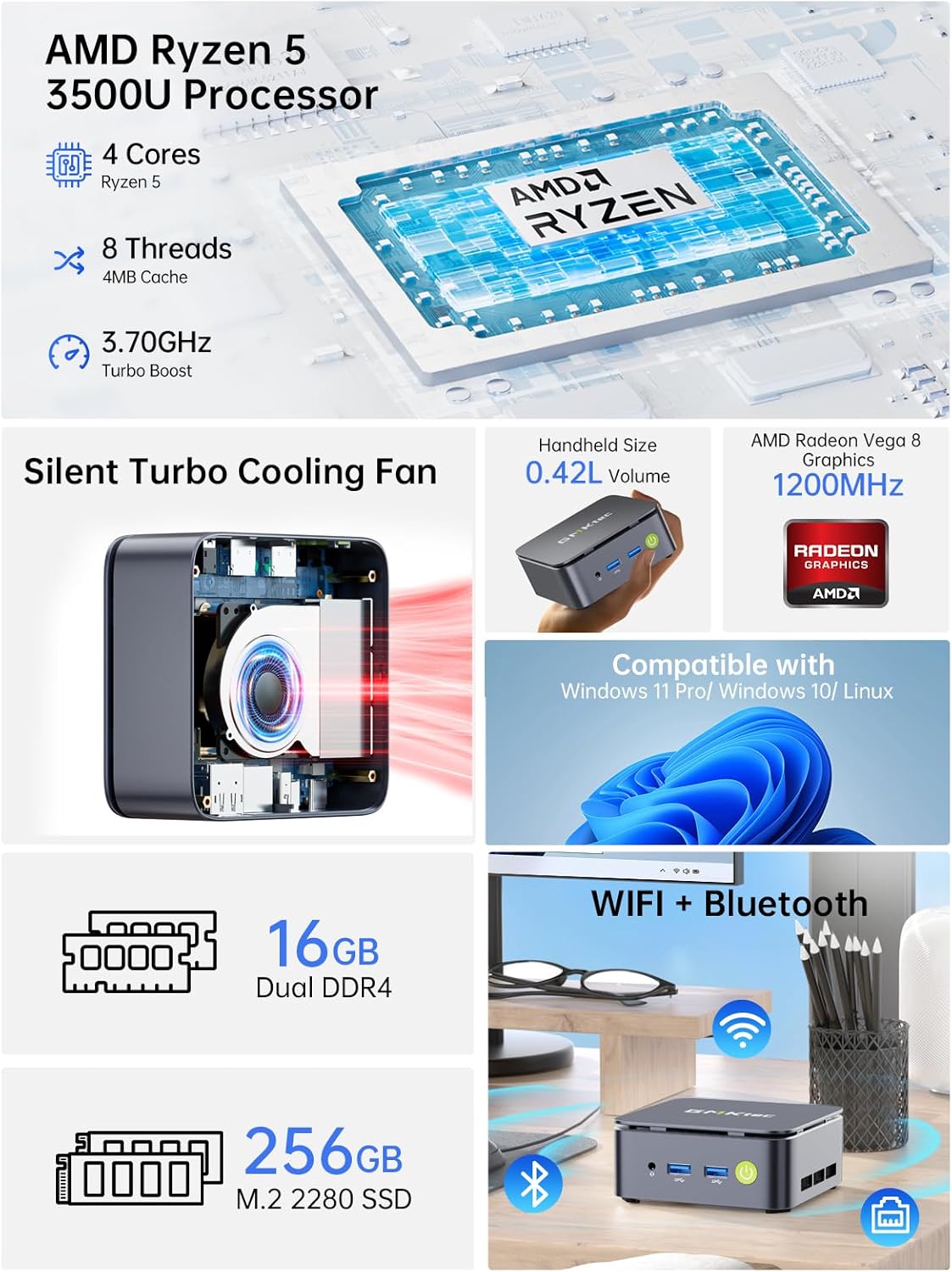
CPU AMD Ryzen 5 3500U (4C/8T, 4M Cache,up to 3.7GHz) Graphics Radeon Vega 8 Graphics(1200 MHz) RAM 16GB DDR4 3200Mhz (Dual Channel 2*8GB) Storage 256GB PCIe 3.0 M.2 2280 NVMe (Expansion: Dual Slot M.2 2280 PCIE Max. 16TB) Wireless LAN Realtek 8125BG 2.5G Gigabit LAN RJ45 Video output Triple Display Output, HDMI 2.1 (4K@60Hz), DisplayPort v1.4 (4K@60Hz), Type-C(4K@30Hz) lnterface 1 x USB-C Power Port; 2 x USB 3.2 Ports; 1 x USB 2.0 Ports;1 x Type-C Ports; 1 x HDMI Ports; 1 x DisplayPort; 1 x RJ45 Ethernet LAN Port 2.5Gbps; 1 x 3.5mm CTIA Port Power Adapter 19V-3.42A Certification Input: 100-240V AC, 50/60Hz 1.7A , Output: 19V/3.42A 64.98W Operating Environment -10°C–45°C,30%–85% Humidity Storage Environment -20°C–60°C,10%–90% Humidity Package Contents 1 x GMKtec Nucbox G10 Ryzen 5 3500U Mini PC, 1 x Power Adapter, 1 x VESA Mount with Screws, 1 x HDMI Cable, 1 x User Manual


1 VALUE RYZEN 5 3500U
2 DUAL MEMORY STORAGE
3 TRIPEL SCREEN DISPLAY
4 RICH INTERFACE
5 WIFI + BLUETOOTH


1 35W TDP EXTRA POWER
2 INTERNAL STRUCTURE
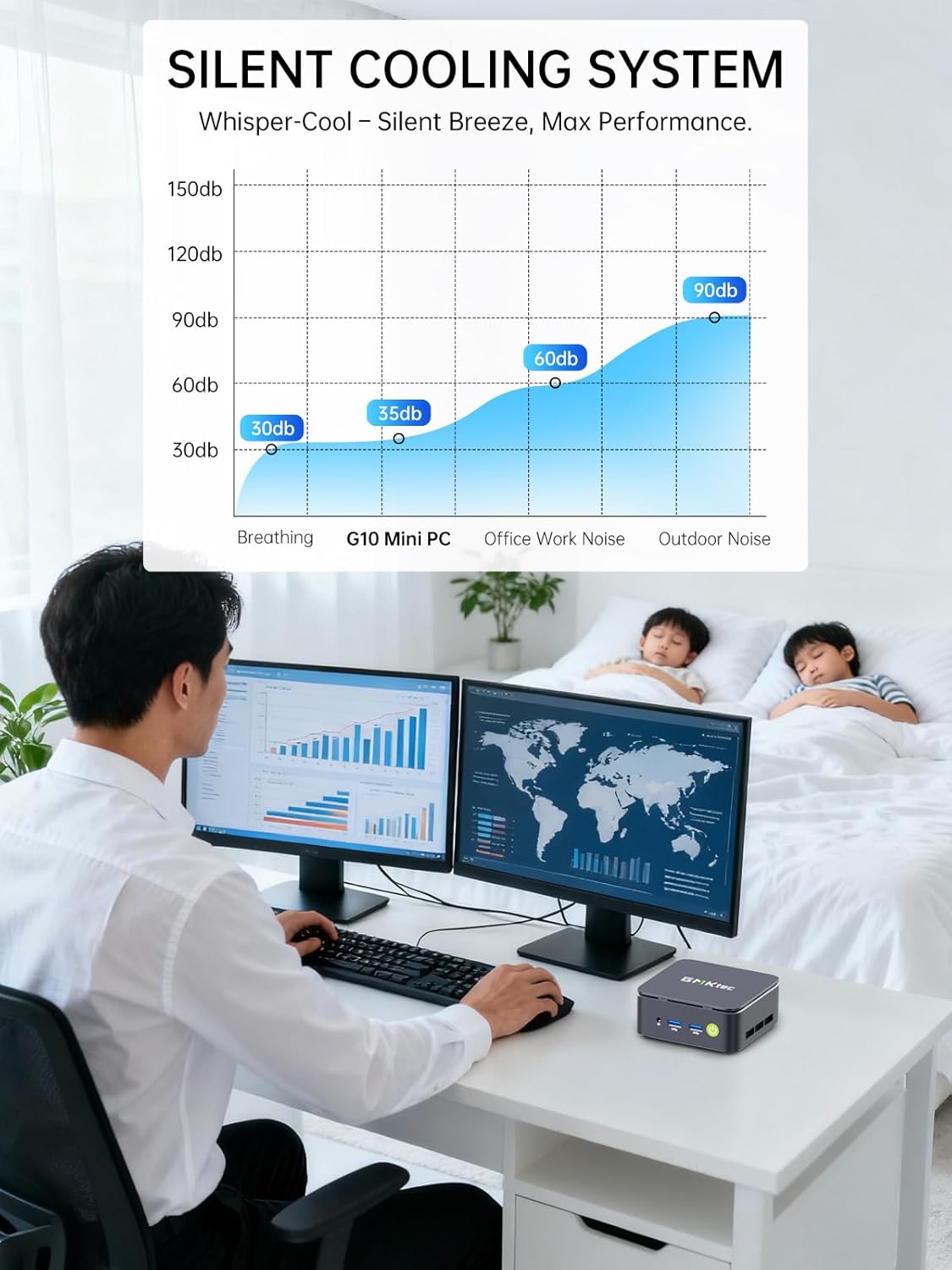
3 SILENT COOLING SYSTEM
4 MULTI USE ENVIRONMENT
5 PORTABLE PC
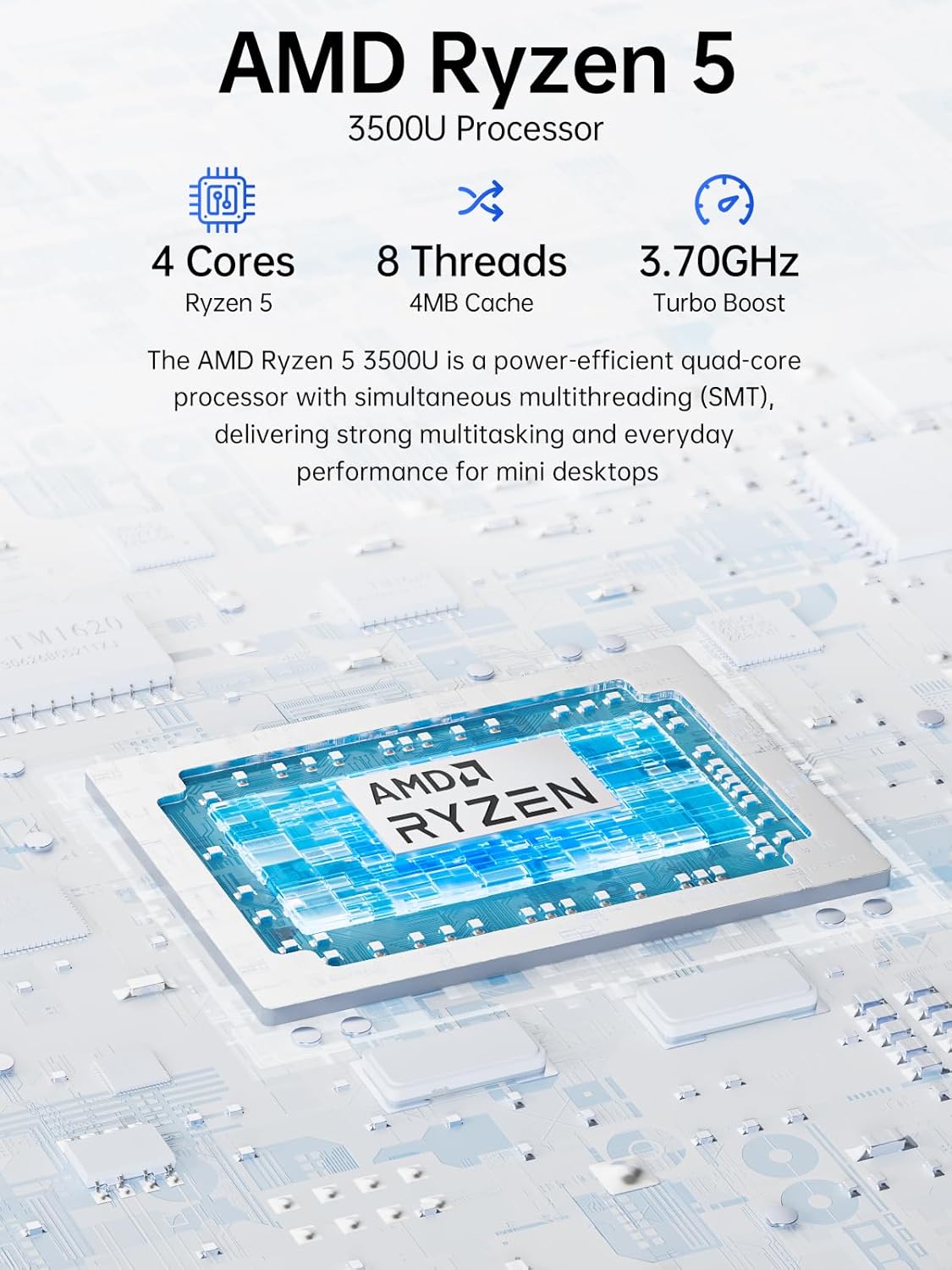
OFFICE LIGHT GAMING MINI PC – GMKtec Nucbox G10 Series is equipped with the Ryzen 5 3500U, a 64-bit quad-core mid-range performance x86 mobile microprocessor. This processor is based on AMD’s Zen+ microarchitecture and is fabricated on a 12 nm process. The 3500U operates at a base frequency of 2.1 GHz with a TDP of 15 W and a Boost frequency of 3.7 GHz. This APU supports up to 32 GB of dual-channel DDR4-2400 memory and incorporates Radeon Vega 8 Graphics operating at up to 1.2 GHz. 35% Performance increase over the similar Intel N-Series N150/N100/N97/N95 processor chips.
16GB DUAL CHANNEL DDR4 + 256GB SSD – Installed with DDR4 16GB SO-DIMM RAM Dual Channel (2x8GB) and a 256GB SSD, the Nucbox G10 mini pc supports memory expansion to 64GB RAM. Featured with Dual M.2 2280 PCIe 3.0 slots, supports dual storage slot expansion to 16TB SSD (2*8TB). (Upgrades not included) This model supports a configurable TDP-down of 12 W and TDP-up of 35 W.
2.5GBE ETHERNET FAST NETWORK SPEEDS – Enjoy up to 2500Mbps data transmission speed without worrying about lagging. Ideal for working, gaming, and surfing the internet. Great for Untangle, Pfsense or as a server office PC.
MINI DESKTOP COMPUTER WITH TRIPLE DISPLAY SCREEN – Nucbox G10 integrates AMD Radeon Vega 8 1200 MHz GPU to deliver powerful graphics processing power to easily handle video editing, and playback, or casual gaming. And it can connect to 3 display screens simultaneously via HDMI 2.1 TMDS/ DPv1.4/ TYPE-C.
FAST WIRELESS INTERNET WIFI 5 + BT5.0 – Enjoy blazing WiFi 5 & Bluetooth 5.0 alongside a powerhouse selection of ports – dual USB 3.2, USB 2.0, stunning 4K@60Hz HDMI 2.1 TMDS, Full Function USB-C (PD/DP/Data), dedicated DisplayPort, 3.5mm audio, and PD Power Supply for seamless multitasking and premium connectivity.
11 reviews for GMKtec Mini PC Ryzen 5 3500U (Beats N150) 16GB 256GB SSD 2.5GbE NIC LAN Office Home Desktop Computers, Triple 4K Display, WiFi, BT, USB-C, DP Nucbox G10 Black
Add a review

Original price was: $299.99.$224.99Current price is: $224.99.
Kevin –
This is small form-factor computing done right.
The Intel N97 Mini PC by GMKtek is a powerful little Windows workstation that is small enough to fit in the palm of your hand. See photo next to Rubix cube for reference, it’s TINY. I tested it as a Windows workstation first and found it to be highly capable for day-to-day computing – content creation, web browsing, a bit of light gaming. It comes loaded with Windows 11, Microsoft Office, and CoPilot – everything you need to be off to the races. But what really sets it apart to me is the power in small form-factor – this is now my goto Raspberry Pi alternative for home automation and open source projects. Proxmox, Plex, AdGuard Home, Docker, Home Assistant – no sweat! My home Lab has to pass the wife test so no rack servers, noisy fans, or heat. It has to be small and quiet, and the N97 fits the bill.Love:- The power and capabilities for the small size.- Oh did I mention, it’s a great price too!- Plenty of RAM and SSD storage- Dual HDMINot dealbreakers, but room to improve:- No USB C ports for peripherals. The only one is designated for the power supply. Come on fellas give me a USB C on the front and one on the back.- It’s not fanless. The fan is quiet, but when I stress tested it, the fan does become audible. Honestly not an issue if it’s in an enclosure (even a media cabinet), but be aware it has potential to be noticeable in quiet environments.Final verdict – great for day to day, fantastic for home projects.
Norm Kelly –
Nice computer, but I don’t really stress it ever.
Hard to believe this little thing, at the price available, is such a good computer! I’ve installed this as my home theater computer, use it for streaming EVERYTHING! Doesn’t skip a beat. Great picture (which, I know, is also attributable to the TV). Fast, quiet (virtually mute).
flyguy –
Great value
Bought this to use as work at home computer for my wife. Didn’t expect much from this little computer. Was I wrong! It’s running 2×27 inch monitors, no problem. Working with wifi connection and the blue tooth works fine! She uses it 8 hours a day. Comes with windows 11 pro…very easy to set up.Amazing operation for a tiny computer!
W. Mueller –
Perfect for browsing and general use
This is not the fastest computer but being super compact and under $200 it performs perfectly for what I need – watching YouTube on my large screen TV. If I use the TV’s app or Roku app to watch YouTube, I get all the stupid ads. Using a computer with Brave browser or Firefox browser NO ADS! Just need a small wireless Bluetooth keypad/trackpad to use it just like a regular computer.
Michael Casey –
A modest compute that does a good job.
Pro:Good video and sound.Reasonably fast, but not quite as fast as the i5 computer it replaced.Great price.I had it up and running in just a few minutes.Cons:None come to mind right now.I’m glad I bought it.
William –
Works Flawlessly with Kodi
I am very pleased with this tiny powerhouse. I have purchased a ton of mini pc for 2 main reasons and this has stomped the competition in regards to performance and stability.My main purpose was to setup a Debian minimal standalone kodi box to run as a Kodi media center. And this performs beautifully no lag whatsoever. So if your looking for a solid performance mini pc look no further I only have one con and as a dedicated media center it does not have onboard HDMI-CEC CONTROL. However I knew that before my purchase so no fault of manufacture so I’m using usb flirt adapter so I can scroll media and navigate with my tv remote. I’m running debian 12.04 minimal setup without a desktop environment I have it setup from power on to Kodi screen and this is exreamly fast from bios post to Kodi. It’s faster than an actual android Kodi box. Now with all that said GMKTEK kudos for this baby power house. I can not speak for windows performance and stability because I don’t use windows. I would definitely recommend for a Linux box hands down.Boot live Linux and wipe windows partitions and format drive to ext4Boot Debian 12.04 Bookworm minimal install main system when tasksel loads uncheck gnome and desktop environment after rebootSwitch to root by issuing su – not su root. Then give your user sudo rights. By installing sudo from repository by issuing apt update then apt install sudo. Now that sudo is installed. You can add your user to sudo group by issuing usermod -aG sudo kodi now kodi is my user I created during install so if your user is not Kodi change accordingly.Next we install some basic software needed to run Kodi. From this point you can switch back to your user in my case by issuing su Kodi. Now to install the final software. sudo apt install xorg-xserver xinit dbus kodi kodi-repository-kodi -y. Wait for packages to install. Once installed we need one more command to give us the ability to use mouse and keyboard in our Kodi environment. So issue sudo usermod -aG input kodi. Remember if your user is not kodi change kodi to your user. At this point Kodi is ready to load so simply issue kodi and kodi will start. If you want kodi to auto start on boot there is a bit more work but it is quite easy to setup. There are many ways of doing this some more complex then others due to security but if your not worried about security and just want simple then it’s as easy as setting up a crontab -e and adding @reboot kodi-standalone however if you want full use of reboot or shutdown from Kodi you need to auto boot with root instead of your user. Again easy to accomplish by editing getty@.service google for how to do that it involves changing one line of code and once your happy with your setup make sure to create a backup or full image I recommend rdrive image paid version or free rescuezill gui version of clonezilla. Enjoy
Mohamed F. Taher –
An amazing little mini PC that is fast and reliable and very neat, comes exactly as the description with exact specifications.
Serhat Gulasti –
Adeta bir küçük dev. Proxmox ile evde ufak bir sunucu olarak kullanılabilir. Plex / Jellyfin tarafında transcode ile pek iyi anlaşamıyor ancak onun dışında bir home-server kullanıcısının her ihtiyacını rahatlıkla kullanılabilir.
Henry –
I’ve been using the GMKtec Mini PC with my wall-mounted TV, and it’s been fantastic. It’s fast and handles web browsing, streaming, and multitasking effortlessly. A pleasant surprise was that the pre-installed Windows 11 Pro didn’t require a Microsoft account during setup, which made getting started incredibly easy.The PC runs quietly, which is great for a living room setup, and its performance has been smooth for everyday tasks and light gaming. While it’s not designed for heavy gaming or video editing, it’s perfect for streaming and general use. Overall, it’s a reliable and efficient mini PC that works wonderfully as a media hub!
Ayhan –
TV İçin aldım. Hem YouTube hem de internet için sorunsuz, hızlı bir çözüm oldu. Intel şaşırtıcı biçimde iyi. Az enerji ile bunu yapabiliyor. 4k yı zahmetsizce oynatıyor. 3 monitör desteği de var. 2 gigabit girişi var. e bu fiyata tamamdır. Akıllı TV’nin eski modelini alıp bununla PC ye çevirmeyi bir düşünün derim. Nasıl olsa TV bin işlemcisi 1-2 seneye takılmaya başlayacak. Tabi kablosuz klavye mause de almayı unutmayın. Tavsiyem Logitech.
Hakkı –
Ürün gayet güzel ve kaliteli, beklentileri karşılıyor. Ancak tanıtım resimlerinde gösterilen kırmızı kapak kutu içerisinden çıkmadı.