

AceGamer Aurora II 2.4G Wireless Bluetooth Controller for PC/Android/Switch/iOS/Switch 2/Steam Deck with Rotary Motors, RGB Hall Effect Joysticks – Upgraded PC Gaming Controller and Back Buttons Lock
Original price was: $29.99.$24.99Current price is: $24.99.
Related Products




Product description




1 3 Connection Modes
2 8-Way to 4-Way
3 RGB Lighting Adjustment
4 Game Operation Mode
5 FPS Mode
What should I do if the joystick drifts or the buttons malfunction?
Use a small tool like a sim card ejector to insert into the reset hole Or perform recalibration by app debugging.
How can I resolve issues such as unresponsive buttons and inability to power on?
To restore factory settings, press and hold L3 + R3 + Home for 2-3 seconds until all indicator lights flash rapidly.
How to resolve the issue of incorrect Bluetooth names during connection?
Bluetooth connection, X-input mode: Press Home for 3S. NS Pro mode: Press Home + Y buttons for 3S.
Dongle connection, X-input mode: Press the Home briefly. Forced pairing: Press Home + A buttons for 3S. NS Pro mode: Press Home + Y buttons for 3S.
How to troubleshoot joystick and trigger issues?
1.Press and hold the View + Menu + Home buttons for 2 seconds.
2. Fully press L2 and R2 three times each.
3.Rotate L3 and R3 clockwise three full turns.
4.Press the “A”, Indicator light restored.
🎮【Newly Enhanced】1、Upgraded receiver and encryption dongle for stronger, more stable connectivity. 2、Added support for host SW 2 connection. 3、Reduced Hall Stick drift for improved accuracy. 4、Fully upgraded key buttons for better performance.
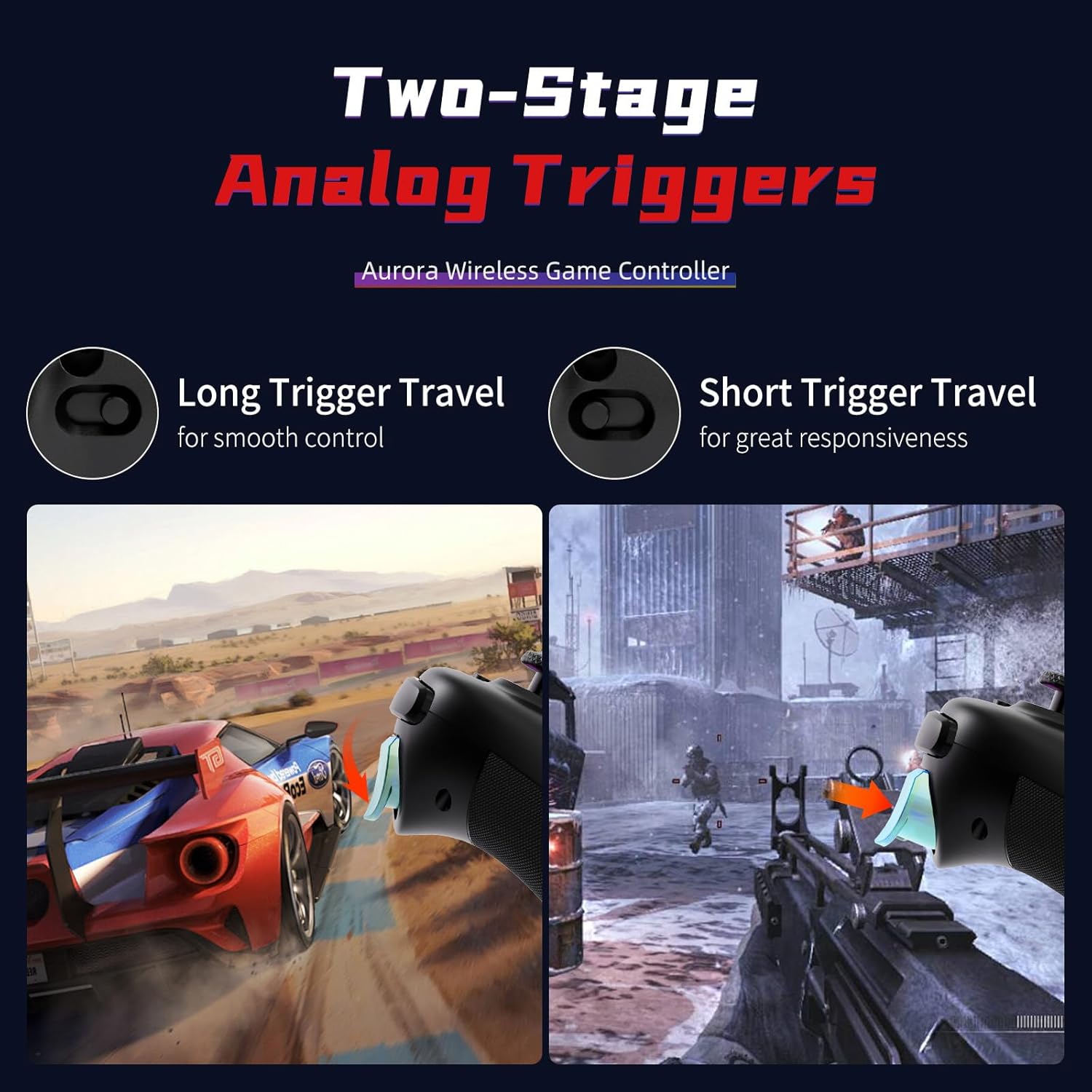
🎮【Customizable Back Keys】The controller features 2 additional programmable buttons on the back, allowing you to customize trigger combos or any other features to enhance your gaming convenience and experience. There are also two back button switches for easy access.
🎮【Wireless Connection】The Gaming Controller adopts 2.4G wireless transmission technology, which has the characteristics of stable signal, strong anti-interference, long connection distance and delay elimination. The handle is plug and play, no additional drive required. Note: For 2.4G connection, you need to press and hold the “A” button first, then press and hold the “HOME” button for 3 seconds, it will start pairing with the receiver. For Bluetooth connection, press and hold the “HOME” button for 3 seconds.
🎮【Large Capacity Battery】Say goodbye to game interruptions.The AceGamer Aurora II controller is equipped with a 1000mAh upgraded battery, which provides an extra-long playtime on a single charge. With longer battery life, you can immerse yourself in games for longer without worrying about running out of power.
🎮【Multi-Platform Compatibility 】Our controller is designed to be compatible with various platforms, including PC Windows 7,Windows 10and later version, Switch, iOS, and Android. No matter which device you prefer for gaming, our controller provides seamless connectivity and smooth gameplay across multiple platforms, ensuring versatility and convenience.!Note!: The controller is not compatible with the Xbox system.
🎮【Hall Effect Joysticks】 Enjoy enhanced joystick control with our two Hall Effect sensors. These sensors provide precise and reliable input detection for smooth and accurate in-game movement. Whether you’re navigating a virtual world or taking precise aim, our Hall Effect technology ensures a seamless gaming experience.
🎮【How to connect 】1. For 2.4G receiver connection, first press and hold the “A” button, then press and hold the ‘HOME’ button for 3 seconds to begin pairing with the receiver. For Bluetooth connection, press and hold the “HOME” button for 3 seconds. 2. Bluetooth connection: Press and hold the HOME button on the controller for approximately 3 seconds to initiate Bluetooth pairing. Enable Bluetooth search on your PC, then click to connect to “Xbox Wireless Controller.” Once Bluetooth pairing is successful, LED2 will illuminate.
🎮【Power-saving mode 】The Aurora II controller will automatically enter sleep mode after five minutes of inactivity. Press the Home button again to reconnect.
13 reviews for AceGamer Aurora II 2.4G Wireless Bluetooth Controller for PC/Android/Switch/iOS/Switch 2/Steam Deck with Rotary Motors, RGB Hall Effect Joysticks – Upgraded PC Gaming Controller and Back Buttons Lock
Add a review

Original price was: $29.99.$24.99Current price is: $24.99.
Z –
Fantastic controller.
Finally a legit Xbox 360 style PC controller. New style controllers are just not comfortable to me. Works great on Garuda with Steam and Windows with Fortnite. Long battery life. Surprisingly durable. Great value. The wireless adapter is great. Don’t need to keep repairing controller when switching OS’s. Just works. Goes to sleep quick, also wakes-up quick as well. Overall a no hassle, no non-sense controller with useless gimics.
Amazon Customer –
Great Alternative to Xbox controller
Still rather new in my inventory but I am really liking this controller. I’ve only used it in Bluetooth mode so far on both PC, Windows and Linux, as well as on Steam Deck. Works great, offers all the same bells and whistles of the Xbox controllers but in what feels like a lighter package. The whole thing feels comfortable for long play throughs. It has added features and capabilities I honestly don’t use so for the price getting more is a bonus. Battery life seems to be very long, I haven’t drained it once yet but honestly I have charged it a few times so I really don’t have a feel for how close to drained I’ve gotten. Buttons feel good, rumble/vibration is good, the host of options to connect is good. If this thing out last my expectations for a lower cost controller I would gladly give it extremely and highly recommendations. But because it hasn’t lived with me long enough yet. All I can say is first impressions are extremely good. For now I’m just going to see how long it lives before issues creep up. Updates to this review will be for negative changes. No updates means it is a solid product.
Will P. –
Issues when connecting to PC w/Bluetooth, but otherwise nice.
I bought this to connect to a gaming laptop with limited USB ports, but unfortunately when trying to connect via Bluetooth it is only recognized as a “GameMacro” which unfortunately none of my games will respond to. However, when using the supplied wireless dongle or directly connecting it works fine and is recognized as a Xbox 360 controller. Tried this on a couple of PCs and verified that it was not an issue specific to my notebook. Not sure if they can issue a driver or firmware update to fix this, but I was not able to find any solution with a Google search. It is too bad, because it is a pretty solid controller that works well when not using BT.UPDATE:After a little more research, solving the problem requires installing the Xbox accessories app from the MS App Store. Apparently, the Xbox wireless controller drivers are bundled with it and allow the controller to be properly recognized using Bluetooth. Updating to 5 stars as BT connectivity was my only complaint. I hope this helps others that may be struggling with this.
Isaac Thibodeaux –
Works, but don’t expect it to go above and beyond
not a bad controller by any means, good feedback, comfortable to hold, low latency, and so far works as an xbox 360 controller to every device i plug it into, though i cant reprogram the back buttons and it has no gyroscope, but for the price its not bad.
JoyHandy –
Worth buying
It works great, no complaints. Pretty galaxy print. Easy price. No complaints.
Amazon Customer –
I like it
Pretty solid, turbo button takes a little time getting used to but other than that it’s pretty cool. It turns itself off after a few short minutes of not using it but I find that helpful to preserve battery
Alexis Cox –
Wonderful “budget” controller. Performs like an official console controller.
Fabulous “budget” controller! I’ve been using this thing 3-4 days a week, typically in 2-5hr stints and it has worked just as well and reliably as any official console controller I’ve ever had. Using the wireless USB dongle makes cordless play a breeze and the controller itself feels sturdy and looks beautiful. Only complaints so far are the very occasional loss of connection when I hold the controller beneath my desk (wireless receiver on top of my tower, on top of my desk…connection restored as soon as I restore “line of sight” with the receiver), the USB end of the dongle itself being a tiny bit loose, and needing to plug my controller into a power-only power source (i.e. the wall) in order to play corded. It refuses to connect wired if I plug directly into my computer (still charges, but I can’t play). Charging time from low to full is about 2.5-3hrs.
Carlos R. –
Functions much like an Xbox 360 controller
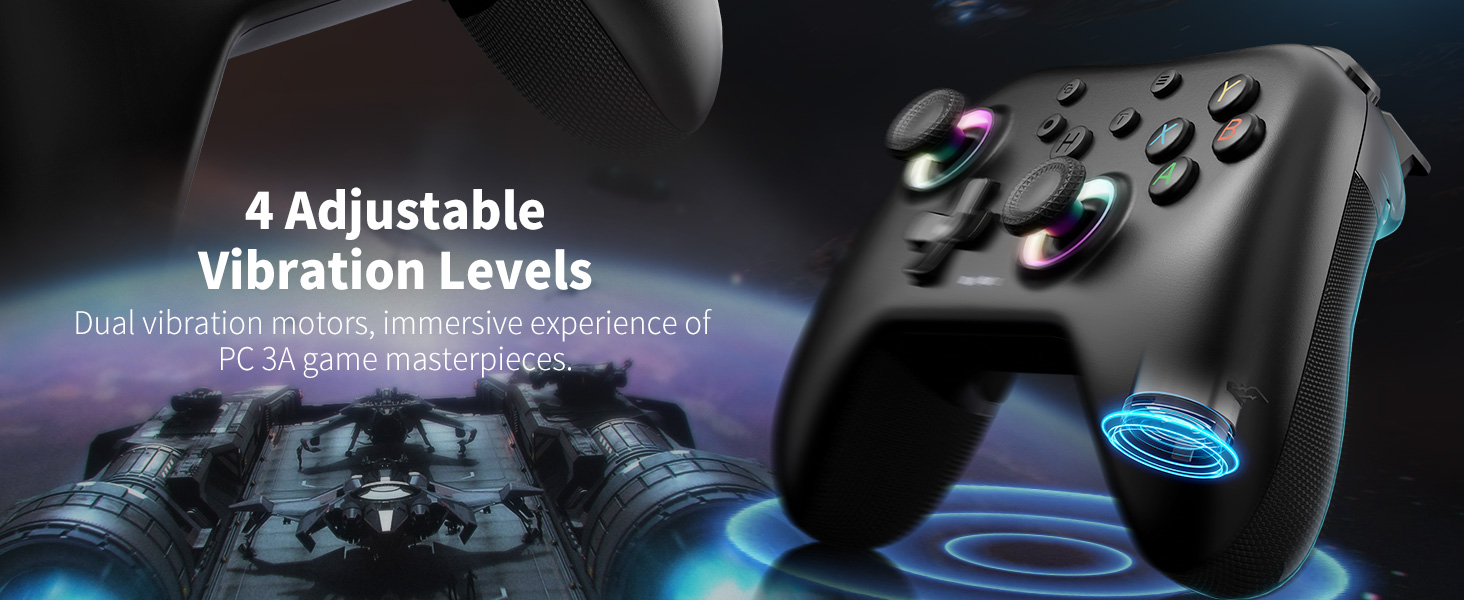
I have for years hesitated buying 3rd party controllers, was always disappointed in the past. Other budget-friendly manufacturers should take notes: this is how it’s done! I’m quite impressed with the controller. It’s fits comfortably in the hand, no dead zone issue(the main reason I stopped messing with third party controllers), it charges quickly and has a lasting charge, and the extra buttons on the back of the controller are adjustable, as are the shoulder buttons. The only reason for 4 stars is I wish the vibration function was stronger, and I know that’s adjustable too, but otherwise, should anything happen to my current controller, I’d buy this one again easily!
Reece –
Wow All the way from the united kingdom you guys make excellent products definitely buying again in future 🙂 😀 10/10 product is a amazing device 10/10
Muriel –
Très satisfait super contente👍👍👍
Andrea –
Il controller funziona alla perfezione poco si nota la differenza con uno originale.
Très belles chaussures solide By Colombia –
La manette fonctionne parfaitement sous GNU -Linux (Arch Linux) après une petite configuration elle est très belle merci au vendeur 🎩👍
ادهم السيد –
يستحق الشراء جميل جدا❤️